
Revisiting Basic and Permissions Page
Porting of Basic and Permissions pages, have been covered in the previous posts, but like the heading suggests there sure was something left.
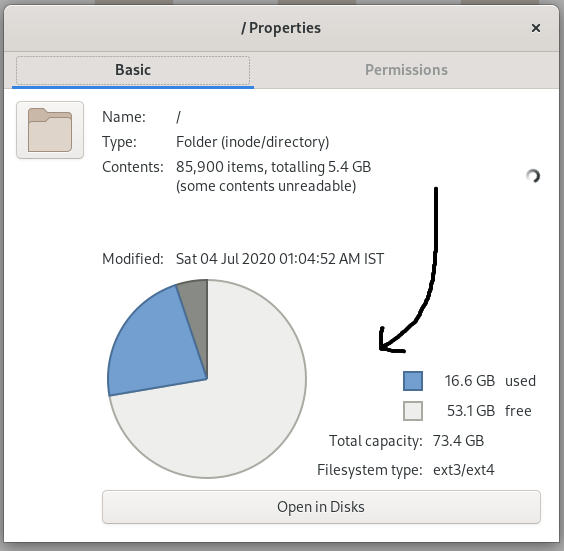 volume usage widget
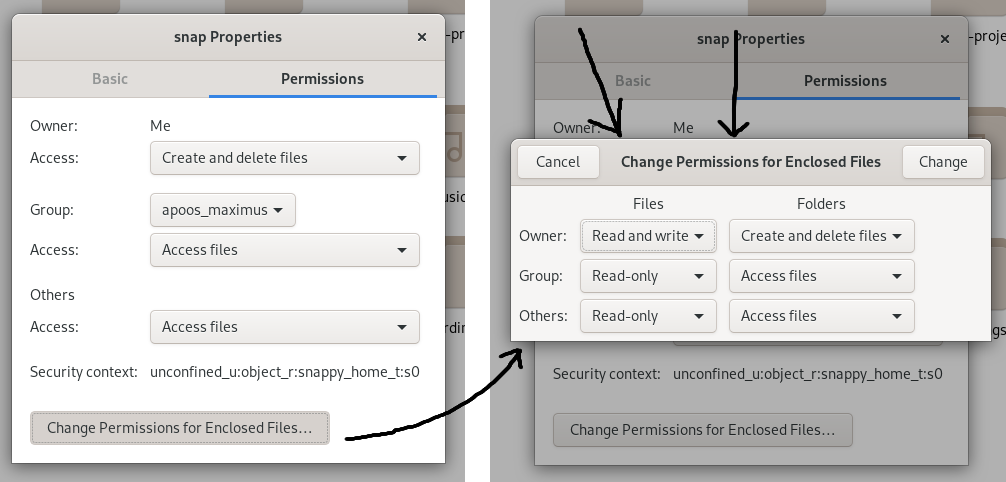 Change permissions dialog
Widgets that remain to be ported
The Volume Widget
The volume widget in itself is a GtkGrid which packs GtkDrawingArea’s and GtkLabels, The dimensions of the grid being 5x4 where the first 5x2 worth of room is occupied by the GtkDrawingArea and the rest is occupied by legend which conveys the size and free-space of the selected volume along with their representations in the pie chart.
g_signal_connect (window->pie_chart, "draw",
G_CALLBACK (paint_pie_chart), window);
g_signal_connect (window->used_color, "draw",
G_CALLBACK (paint_legend), window);
g_signal_connect (window->free_color, "draw",
G_CALLBACK (paint_legend), window);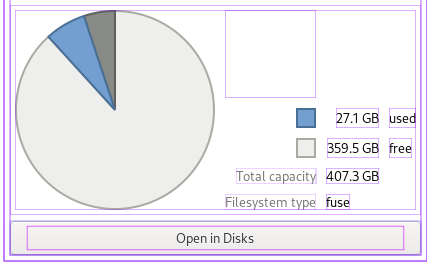 layout of a volume_widget
That wraps the volume_widget.
Change Permissions Dialog
This story of porting is old, if you have read the previous posts perhaps you can take a guess and ask me to fire-up glade, pick-up GtkDialog from Toplevel containers/ windows, throw-in a grid, araange labels and buttons and than all thats left is to obtain GObject references through the GtkBuilder APIand wire them together with code.
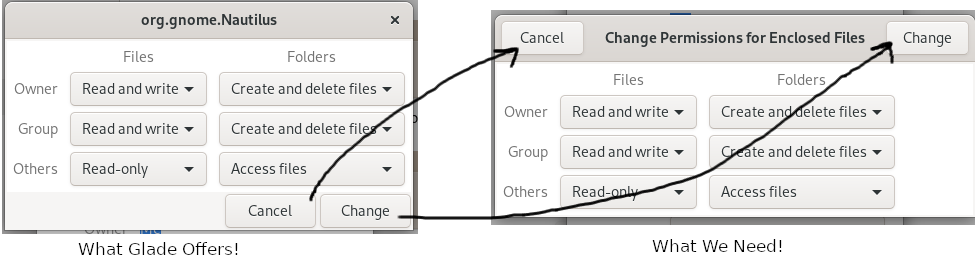 what glade offers V/s what we need
The reason for this being.
Your Dialog Your XML
This is the blog that helped us get our Handwritten XML to produce the outcome-we desired: How do I Dialogs
<?xml version="1.
<interface>
  <requires lib="gtk+" version="3.
  <object class="GtkDialog" id="change_permissions_dialog">
    <property name="title" translatable="yes">Change Permissions for Enclosed Files</property>
    <property name="modal">True</property>
    <property name="destroy_with_parent">True</property>
    <property name="type_hint">dialog</property>
    <property name="use-header-bar">1</property>
    <child type="action">
      <object class="GtkButton" id="cancel">
        <property name="visible">True</property>
        <property name="label">Cancel</property>
      </object>
    </child>
    <child type="action">
      <object class="GtkButton" id="change">
        <property name="visible">True</property>
        <property name="label">Change</property>
      </object>
    </child>
<child>
</child>
    <action-widgets>
      <action-widget response="cancel">cancel</action-widget>
      <action-widget response="ok">change</action-widget>
    </action-widgets>
  </object>
</interface>
So this is what we ended up with ! Now this could be used like any other .